


Coolhood vs ASUS ZenScreen Introduction: First Impressions
After weeks of rigorous testing across coffee shops, lounges and a home office, we can confidently say these budget portable monitors serve different users entirely. Despite both having nearly identical 15.6″inch screen specs, the COOLHOOD immediately impressed with its aggressive pricing and surprisingly vibrant display. The ASUS ZenScreen MB166C commanded respect off the bat with its premium metallic build and professional software integration. Both deliver essential workspace expansion, but execution separates budget functionality from that premium user experience.
Quick Navigation
(As an Amazon Associate, I earn from qualifying purchases at no extra cost to you.)
Product Testing
Our comprehensive evaluation included:
- On the ground Portability Testing: Airport lounge, coffee shop productivity and hotel room setups
- Display Quality Analysis: Colour accuracy, brightness measurements and viewing angle evaluation
- Build Quality Assessment: scuff tests, daily use durability and materials analysis
- Connectivity Verification: USB-C compatibility with laptops, tablets and gaming devices
- Long-term Reliability: Extended usage testing to identify potential failure points
Tech Specs

COOLHOOD Portable Monitor 15.6″ – Budget Champion
Display & Performance:
- Panel Type: IPS with anti-glare matte finish
- Resolution: 1920×1080 Full HD with 178° viewing angles
- Colour Performance: 100% sRGB coverage, 2000:1 contrast ratio
- Brightness: 250-280 nits peak output
- Built-in Audio: Dual stereo speakers included
professional features:
- No tripod mounting capability
- No auto-rotate software
- No premium build materials
- No advanced eye care certifications
- No warranty beyond standard

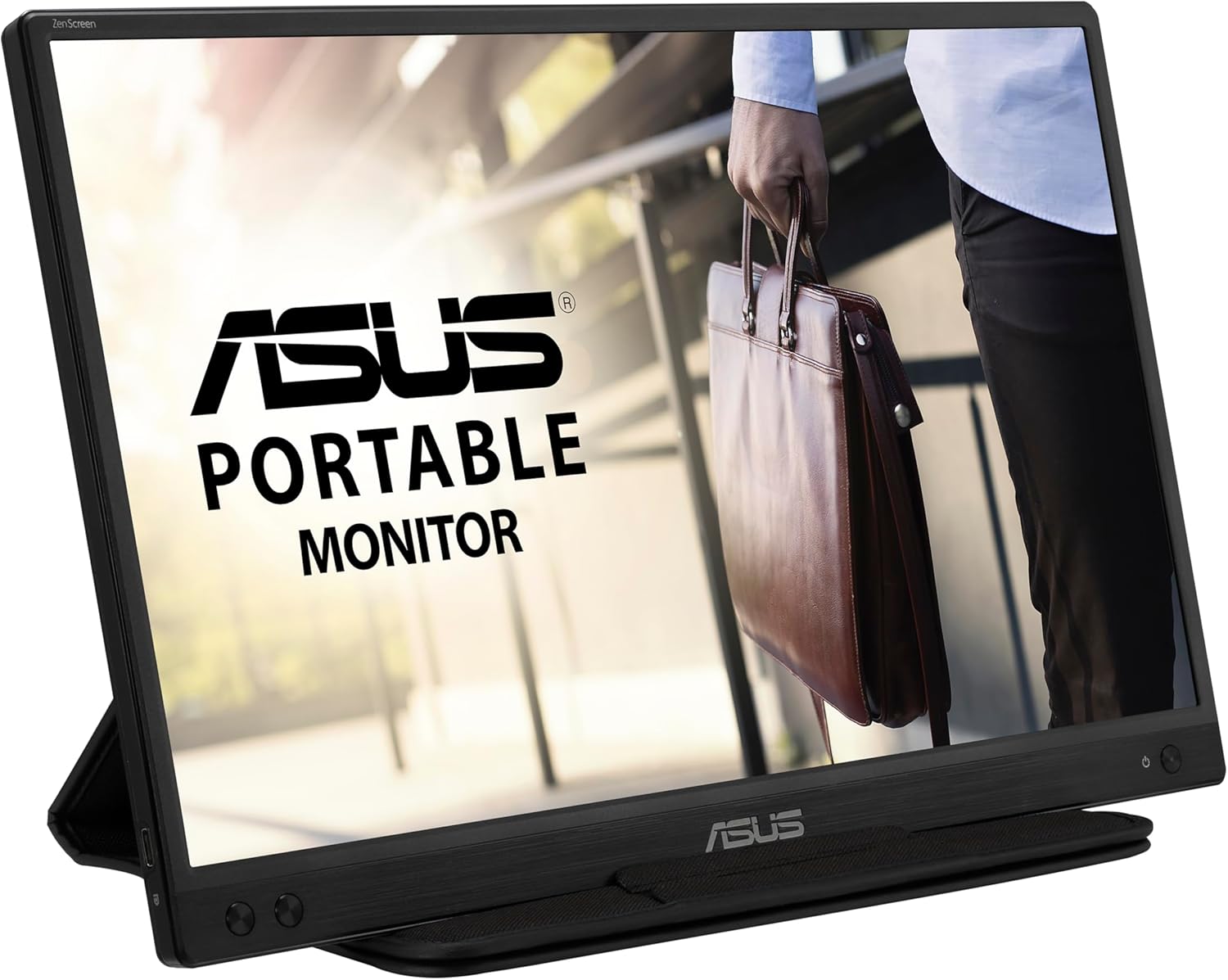
ASUS ZenScreen MB166C – Premium Professional Choice
Display & Performance:
- Panel Type: 15.6-inch Full HD IPS with 250cd/m² brightness
- Colour Accuracy: Wide sRGB color gamut for content creators
- Response Time: 5ms with 60Hz refresh rate
- Eye Care Tech: TÜV Rheinland-certified Flicker-free and Low Blue Light
Professional Features:
- Premium Build: Sturdy metallic chassis with robust kickstand
- Tripod Ready: ¼” threaded hole for professional mounting
- Auto-Rotate: DisplayWidget software orientation sensing (Windows only)
- Bonus Value: 3-month Adobe Creative Cloud subscription included
- Warranty: 3-year manufacturer warranty
Performance Battles
Display Quality Face-Off
The ASUS ZenScreen delivers accurate colours with wide sRGB coverage that content creators will really appreciate. sRGB coverage ensures content creators see true-to-life colours that match what their audience will see as colours appear more natural.
The COOL-HOOD surprises with vibrant, punchy colours that pop off the screen! perfect for gaming, entertainment and children.
However, we found the COOL-HOOD display to be slightly oversaturated for professional work.
🏆 Winner: Asus Zenscreen
Build Quality Battle
The ASUS ZenScreen feels premium immediately and the metallic chassis isn’t just for show neither, its tough! The kickstand stays rock-solid even on uneven surfaces and the whole unit simply screams “professional grade.”
The COOL-HOOD’s plastic build feels adequate enough but its far from being impressive. Some users report the smart case groove becoming loose over time, though it handles moderate daily use just fine.
🏆 Winner: Asus Zenscreen
Connectivity Battle
COOL-HOOD: USB-C + Mini HDMI = A Universal compatibility champion
ASUS: USB-C only = Limited but premium approach
This is a huge difference as the COOL-HOOD works with virtually any device. Older laptops without USB-C display are supported, gaming consoles, tablets, phones you name it. You’re covered no matter what!
The ASUS ZenScreen requires USB-C with DisplayPort Alt Mode support. No HDMI port means no games console connectivity without adapters and many older laptops simply won’t work at all.
🏆 Winner: COOL-HOOD Monitor
Detailed Pros & Cons
The COOLHOOD Portable Monitor
4.7 Out 5 Star Reviews On Amazon


| Strengths | Limitations |
|---|---|
| Exceptional value with crisp 1080p quality | Smart case groove can slip out of position |
| Dual connectivity maximises device compatibility | No tripod mounting limits professional setups |
| Built-in speakers provide convenient audio | Plastic construction may not handle heavy use |
| Ultra-lightweight for maximum portability | Speaker quality adequate but not impressive |
ASUS ZenScreen MB166C
4.1 Out Of 5 Star Reviews On Amazon


| Strengths | Limitations |
|---|---|
| Premium metallic chassis with robust engineering | Higher price limits budget accessibility |
| Professional tripod mounting and auto-rotate | Auto-rotate Windows-only, excludes Mac users |
| TÜV certified eye care tech reduces strain | Colours can appear dull vs vibrant competitors |
| 3-year warranty plus Adobe Creative Cloud | Straight USB-C cable creates awkward positioning |
| Lighter weight despite premium construction | May be overkill for basic second screen needs |
Market & Value Analysis
Value Assessment: The COOLHOOD dominates the budget segment with 1080p HD display quality at entry level pricing. The ASUS provides superior long-term value through premium construction and comprehensive professional features.
Competitive Reality: Both effectively serve their target markets in an increasingly crowded portable monitor space. Budget shoppers get incredible value, while professionals get essential features without premium brand pricing.
Final Say
Choose COOLHOOD If You’re:
- Budget-focused-Interested in maximum value
- Gaming enthusiasts-preferring vibrant, punchy display
- Device compatibility must-needing both USB-C and HDMI options
- Casual users-who value entertainment features like built-in speakers
- Light professional-where premium build quality isn’t essential
Choose the ASUS ZenScreen If You’re:
- Professional users-requiring colour accuracy and reliable construction
- Content creators-benefiting from Adobe integration and pro features
- Business travellers-needing a robust build for frequent transport
- Presentation specialists-using tripod mounting and auto-rotate
- Long-term thinkers-prioritising 3-year warranty and brand reliability
The ASUS ZenScreen MB166C – delivering professional build quality, essential business features and long-term reliability. Although its priced higher the features and quality will be justifiable for the serious portable monitor user.
The COOL🥈HOOD is still a viable option for maximum budget, value and vibrant entertainment but invest in the ASUS ZenScreen for professional reliability and features that’ll serve you for years.
Secure A New Portable Monitor Today… 🚀
enhanced productivity, entertainment and workspace freedom…
FAQs
Q: How significant is the build quality difference? – A: Night and day. The ASUS metallic chassis feels premium and handles rough treatment, while the COOL-HOOD’s plastic construction works fine for careful use.
Q: Which is better for creative work? – A: ASUS wins with accurate sRGB coverage and professional colour reproduction. The COOL-HOOD’s vibrant colours look great but aren’t colour-accurate.
Q: Are the Amazon reviews reliable? – A: The COOL-HOOD shows 1000s of genuine reviews. The same for ASUS with the added bonus of being a recognisable, reliable brand
© 2025 TechReviewsUK.com
ASUS ZenScreen MB166C Portable Monitor

A premium 15.6-inch portable monitor featuring a metallic chassis, tripod socket, and TÜV-certified eye care, designed for professionals.
Product Brand: ASUS
Product Currency: GBP
Product In Stock: InStock
4

Leave a Reply